Explainer
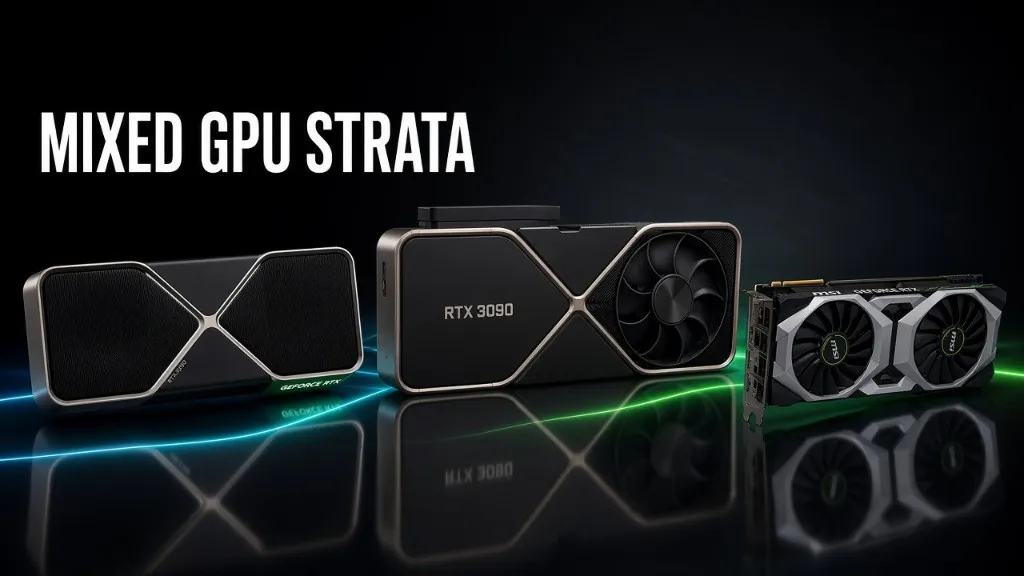
How To Use Different GPUs Together with Strata
Strata, Project Maya, and why the leftover card in your drawer may be worth plugging in.
Key takeaways
Strata can split one model across unequal cards of the same brand and use each card's memory. vLLM's tensor split treats a 16GB card beside a 24GB card as two 16GB cards. NVIDIA and AMD still cannot share a model.
In this article
Every local AI enthusiast has one: the older RTX 3060, the 16 GB card that didn’t quite justify your last upgrade, the Radeon bought for a different project. The question is always the same. Can it help, or will it only drag things down? On that question, the popular server engine vLLM and the newer open-source engine Strata give surprisingly different answers.
The rule vLLM plays by
vLLM was built for data centers, where racks are full of identical cards. Its approach to splitting a model is tensor parallelism: every layer is cut into equal slices, and each card computes its slice of every layer. After each step the cards must synchronize with each other, twice per layer. That works beautifully with matching GPUs and fast links such as NVLink. It works badly with anything else.
Put a 16 GB card beside a 24 GB card and tensor parallelism treats them as two 16 GB cards, so the extra 8 GB sits unused. Over ordinary PCIe slots, the constant synchronizing eats a large share of the time. vLLM can also split by layers (pipeline parallelism), which adds up both cards’ memory, but its own community’s advice is that the pipeline then runs at the pace of the weakest card. The official documentation expects identical GPUs, and on mixing vendors the forums are blunt: not supported. The usual recommendation is to run separate instances, one per card type.
One model across two unequal cards, vLLM versus Strata.
Strata starts from the opposite assumption
Strata, a free engine built for desktops and home servers, assumes your hardware is a mess. Its layer split hands each card a consecutive block of layers: the first card runs layers 0 to K-1, the next picks up from there, and the last card also runs the output head. A token crosses from one card to the next only once per verification window, a few hundred kilobytes passed through system RAM. There is no NVLink requirement and no peer-to-peer access needed. Cards in x4 or even x1 slots can take part, and each card’s link is probed on its own.
Because the split is by layer ranges, it can be sized to each card. By default the placement is chosen from each card’s free memory, trying every arrangement for two to four cards and keeping the one whose caches hold the most of the model’s commonly used experts. In the 16 GB plus 24 GB example above, all 40 GB is usable.
Every card also gets a job: Main, Helper, or Off. The faster card becomes Main, running the final stage that every prompt chunk waits on. Others start as Helpers, holding layers and an expert cache so more of the model sits on graphics cards instead of being read from the drive. A card with 8 GB or less beside a bigger one is switched off by default, as is integrated graphics. You can change any role with one click in the app or one key in the terminal.
Main, Helper and Off roles on a mixed NVIDIA rig. The layout is illustrative.
How prompt reading differs
Generating text gets the attention, but on a multi-card rig the time you wait before the first word is prefill: reading your prompt. The three systems handle it differently.
In vLLM, tensor parallelism has both cards work on every chunk of the prompt together, pausing to synchronize between steps, so link speed sets the ceiling. Pipeline parallelism avoids the constant syncing, but each card sits idle while waiting for its turn at the start and end, and with mixed cards the slowest stage sets the pace.
vLLM prefill: tensor parallel versus pipeline parallel. The timeline is illustrative, not a measurement.
Strata pipelines the prompt through its layer split. The prompt is read in chunks that flow through the cards in turn: while a later card reads chunk c, the first card is already reading chunk c+1. Each card keeps its own prompt buffers, about 1.5 GB each at the default 2048-token chunk, and experts that no card holds stream in from pinned RAM. Chunk size is tunable, and the measurements show it matters.
Strata prefill: chunks flow through the cards in turn.
On four older GP100 cards, a tuned chunk size read a 2,013-token prompt at 228 tokens per second against 181 with the automatic setting. On AMD R9700 splits, a larger chunk made a 16K prompt 36%, 45% and 53% faster on two, three and four cards respectively. The gains shrink as prompts get longer, down to 4% to 17% at 64K.
Strata prefill measurements: chunk size on four GP100s, and the AMD R9700 gains from a larger chunk.
Maya, covered below, works inside each card as well. It cuts a prompt into chunks sized by its memory budget, then runs the mixers and dense layers in sub-batches so the GPU’s matrix cores get larger multiplications.
Maya prefill: chunks, then sub-batches.
What the measurements say
The project’s numbers are encouraging, with caveats. On a 4060 Ti 16GB plus a 3060 12GB, a hand-tuned split point took prompt reading from 452 to about 803 tokens per second, because the old automatic rule had left one card mostly idle. Two RTX A4000 cards made deliberately unequal gained 52% on prompts and 31% on decoding once the placement rule was fixed. An RTX 4060 Ti with an RTX 5080 gained 16% on decoding from the pipeline-windows option, which lets the first card start the next window while the last still verifies the current one.
The warnings matter just as much. A split adds capacity, not automatically speed. An RTX 5080 plus an RTX 3090 decoded about as fast as the 5080 alone. Adding a third card, an RTX 2080 Ti, made that pair slower. The docs say plainly that an extra slow card costs its own round trip on every window. The biggest win came from the opposite case: two 22 GB RTX 2080 Ti cards in an old dual-Xeon workstation raised decoding by 45%, because the slow CPU no longer had to do work the second card could take.
The one hard wall
Mixing brands is still off the table. Strata’s documentation says an engine drives one make of card, so NVIDIA and AMD can’t share a model, and Intel cards aren’t part of a standard split. A user requested a Vulkan backend, which would work across brands the way llama.cpp does, and the maintainer closed it as not planned, since CUDA, HIP and SYCL already cover the three vendors. vLLM is in the same position here.
Which pairings each engine will pool into one model.
Where Project Maya pushes further
Maya, hosted at mw00/project-maya, is a separate engine for the GLM-5.3-Flash model. It borrows from Strata’s AMD work, though its own documentation warns that Strata’s benchmarks don’t establish Maya’s performance. Its guide goes further on mixing within AMD: two cards can be different architectures. On a 32 GB Radeon AI PRO R9700 paired with a 20 GB RX 7900 XT, answers rose from about 15 to about 33 tokens per second compared with the 7900 XT alone, and 39 back-to-back requests ran without an error.
Prompt settings matter here too. On a single RX 7900 XT, moving from a forced small chunk to the engine-sized chunk, a tuned matrix-library table, and larger sub-batches took prompt reading from roughly 50 to roughly 413 tokens per second.
Maya on a Radeon RX 7900 XT: how prompt settings add up.
Maya also has an experimental mode where a Ryzen AI Max integrated chip acts as an expert helper beside one or two discrete cards. The documentation makes no claim of a general speedup there, and tells you to measure on your own hardware.
What to buy, or keep
If you want to pool cards, stay within one brand. Two cards of the same make, even different models, can pay off when a model doesn’t fit one card or when your CPU is slow. Expect to tune the split point once for an odd pair. Think twice before adding a weak third card. And if your drawer holds a mixed-vendor pile, the practical choice today is one brand per machine, or one model per card. A single card is a different question, covered in which GPU to buy for Strata.
Sources: Strata’s MULTI_GPU documentation and issue 1214, Project Maya’s AMD documentation, vLLM’s parallelism docs and community discussions. Diagram layouts, including the vLLM prefill timeline, are illustrative, not measurements.
Buying advice
Our GPU picks for local AI
Best overall
RTX 3090Best budget
RTX 5060 Ti 16GBFastest consumer GPU
RTX 5090Best for multi-GPU builds
R9700
We may earn a commission when you buy through links on this page. It never changes what we recommend. How we make money
Frequently asked questions
Can two different GPUs run one local model?
On Strata, yes, if both cards are the same brand. A layer split gives each card its own range of layers and uses the free memory on each, so a 16GB card beside a 24GB card can use all 40GB. vLLM's tensor parallelism treats that pair as two 16GB cards.
Can NVIDIA and AMD GPUs share one model?
No. Strata's documentation says an engine drives one make of card, so NVIDIA and AMD cannot share a model, and Intel cards are not part of a standard split. vLLM does not support mixing vendors either.
Does a second GPU make Strata faster?
A split adds capacity, not automatically speed. An RTX 5080 plus an RTX 3090 decoded about as fast as the 5080 alone, and adding an RTX 2080 Ti made that pair slower. Two 22GB RTX 2080 Ti cards in an old dual-Xeon workstation raised decoding by 45%, because the CPU no longer had to do that work.
Read next
More from Llama Builds
Explainer
How Strata Revolutionized Local AI
Most local benchmarks measure how fast a model writes. Strata is built around how fast it reads, which is how a 125B model runs on a small GPU.
Updated Nov 2, 2026
Buying guide
Best GPUs to buy for Strata local AI
The card depends on the model. Qwen rewards extra VRAM. DeepSeek V4.1-Flash is a different engine and is slow on one 12GB card. GLM 5.3 Flash is not in Strata itself.
Updated Nov 2, 2026
Explainer
How much VRAM do you need to run LLMs locally?
Weights, KV cache and overhead, worked out with real numbers for the open models people actually run in 2026.
Updated Oct 14, 2026